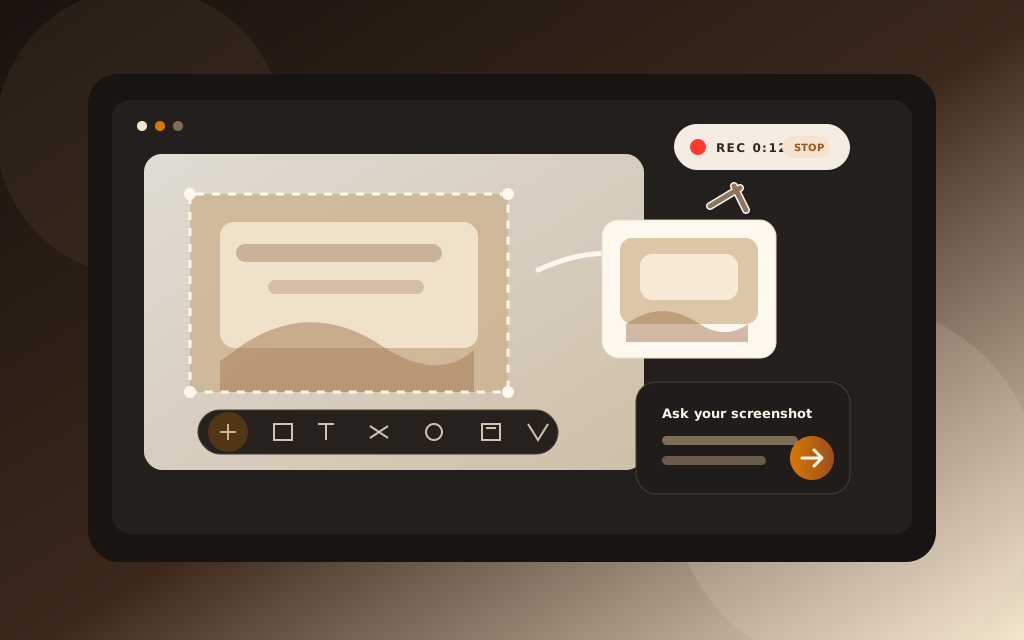
Dexlyy Shot is the screenshot app that gets what it captured.
Snip a region, stack multiple captures, annotate with calm precision — then
ask your screenshot or describe what to grab and let AI do the rest.
50 free snips / day · No credit card · macOS & Linux soon
5+
capture modes — region, window, scroll
AI
Ask & Smart Capture built in
1×
lifetime license — no subscription trap
$0
to start — free tier included
New · Prompt Snip
Snip it. Prompt it. Hand it to your AI.
The fastest way to brief a coding agent. Snip any app or webpage, drop numbered marks
on exactly what to change, write your prompt — then Dexlyy Shot pastes the
image and the instructions straight into Cursor, Claude, or any agent.
One hotkey: Ctrl+Shift+G.
Prompt Snip Ctrl + Shift + G
DexlyyAIPremium AI toolsbuilt with care.
1
Your prompt
Make this hero feel more premium
1 hero · top of imagePaste in your agent
Cursor · Agent
Ask anything, paste a screenshot…
image + prompt
How it works
Three steps from screen to shareable clarity.
01
Capture anything
Press a hotkey for region, window, or fullscreen. Multi-snip lets you stack several regions into one clean image.
02
Annotate or ask
Arrow, blur, pin, or copy — or open Ask and let AI explain the error, draft the bug report, or extract text.
03
Share in seconds
Drag to paste, save to history, or pin the capture on screen while you keep working.
Why Dexlyy Shot
Screenshots that work the way you think.
Review Snip — feedback your team can read Pro
Snip a screen, drop numbered pins on problem areas, and write notes in the sidebar. Dexlyy Shot exports a clean annotated image plus a numbered legend — ideal for SCADA/HMI reviews, design QA, and handoffs. Hover pins while editing; notes never clutter the diagram. Press Ctrl+Shift+G.
Capture anything, beautifully
Region, window, fullscreen, scrolling capture, and multi-snip — multi-monitor aware, Retina-sharp, with a warm glass editor that stays out of your way.
Ask your screenshot Pro
“What does this error mean?” “Write a Jira ticket from this UI.” AI reads the image and answers in context.
Describe it, AI snips it Pro
“Grab the chat on the right and blur the rest.” Smart Capture finds the regions and captures them for you.
Multi-snip combine
Capture several regions in one session and stack them into a single neat composite — perfect for docs and bug reports.
Annotate, pin & share
Arrows, blur-to-redact, pin-to-screen, drag-to-paste, OCR text extraction, and searchable capture history.
Calm by design
No clutter, no dark patterns. Dexlyy Shot lives in the tray, appears when you need it, and disappears when you don't.
Made for real work
One tool. Every kind of capture.
“File bug reports with annotated screenshots and AI-written repro steps — without leaving your flow.”
For developersErrors, UI bugs & PRs
“Stack multiple UI states into one image for release notes, onboarding docs, or client updates.”
For product & designMulti-snip & pin
“Ask Dexlyy Shot to explain a confusing settings screen or summarize a long email thread from a single snip.”
Unlock inside the app after install — no subscription.
Windows 10 & 11 · 64-bit · macOS & Linux on the roadmap.
FAQ
Questions, answered.
How is Dexlyy Shot different from Snipping Tool?
Snipping Tool captures pixels. Dexlyy Shot captures meaning — AI Ask, Smart Capture, multi-snip, scrolling capture, pin-to-screen, and a searchable history, all in one calm app.
Is Dexlyy Shot really a one-time purchase?
Yes. Pro is a $39 lifetime license for up to 3 computers — not a monthly subscription. You pay once inside the app and keep unlimited captures plus hosted AI features.
Why does Windows SmartScreen warn me?
We're a small studio and haven't code-signed our installer yet. The app is safe — click More info → Run anyway. Code signing is on the way.
What counts toward the free daily limit?
Each screenshot counts — including each snip in a multi-snip session. Combining them still uses one capture per region you selected.
Do I need an account?
Yes — a free account tracks your daily quota and unlocks Pro when you upgrade. Sign in with email or Google right inside the app.
Ready when you are
Download Dexlyy Shot
Install free on Windows. Capture in seconds with Ctrl+Shift+1.
Love it? Unlock Pro for a one-time $39 — lifetime, up to 3 machines.